



Key Takeaways:
- Secure file sharing is the practice of exchanging, storing, and accessing files using controls that protect sensitive information from unauthorized access, data leaks, and tampering.
- Businesses rely on secure file sharing to protect confidential data, support safer collaboration, reduce cyber risks, and comply with evolving data privacy and cybersecurity regulations.
- Common file-sharing risks include phishing and credential theft, ransomware, insider threats, unauthorized access, and accidental data exposure, all of which can disrupt operations and compromise sensitive information.
- Effective file-sharing security combines technology, governance, and user awareness through best practices such as encryption, multi-factor authentication, role-based access controls, audit trails, employee training, and clear data retention policies.
As businesses become more digital, they share a growing volume of sensitive information online. Today, files travel across email, cloud platforms, and especially third-party collaboration tools. That flexibility has made work faster, but it has also widened the attack surface. One compromised login or unsecured link can expose a business to all types of risks, including financial.
IBM’s Cost of a Data Breach Report 2025 found that the global average cost of a data breach reached USD 4.4 million. The report also points to an important governance concern: organizations continue adopting new technologies quickly, often without the right oversight, access controls, or data protection measures in place.
That is why secure file sharing is no longer just a technical safeguard but a business necessity. Customers expect their information to be handled responsibly, while regulators expect organizations to invest in and implement security measures to protect sensitive business data.
What is secure file sharing?
Secure file sharing is the practice of exchanging, storing, and accessing files through a secure system to prevent unauthorized access, data leakage, and tampering. In simple terms, it means making sure that only the right people can open, use, share, or store a file — and that it remains protected throughout that process.
In businesses and workplaces, the most common types of file sharing include email attachments, traditional File Transfer Protocols (FTPs), cloud storage, and physical drives.
What makes file sharing secure?
A secure document-sharing environment usually includes several layers of protection:
- Encryption to protect files while they are being transmitted and stored
- Authentication to verify user identity
- Access controls to determine who can view, edit, download, forward, or print files
- Audit trails to track file activity and provide accountability
- Administrative controls, such as file expiration dates or revocable access
Secure file sharing vs. Secure file transfer
Secure file transfer focuses on protecting a file while it is moving from one location or user to another, often through technologies such as SSH File Transfer Protocol or SFTP. Secure file sharing is broader. It covers transmission security and what happens before and after delivery: access governance, version control, user permissions, external collaboration, and ongoing monitoring.
Why is secure file sharing important in business?
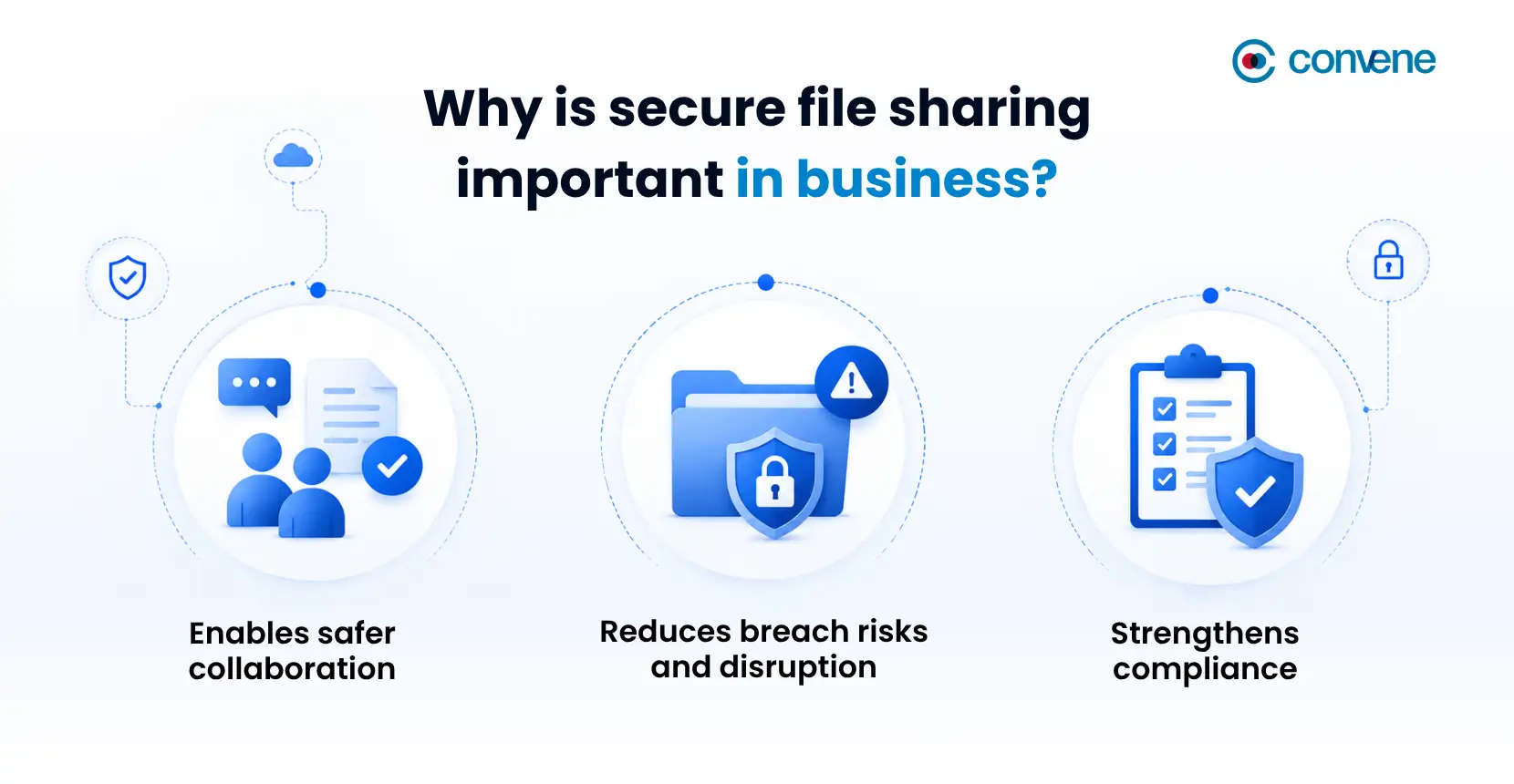
At the most basic level, secure file sharing helps organizations protect sensitive data such as strategic plans, payroll records, tax files, and board reports from illegal access. But its value goes further than that.
- It also enables safer collaboration. Businesses need to move quickly, especially when working with remote teams. Hence, security controls should not block collaboration but make it safer and more controlled.
- Secure sharing also helps reduce breach risks and disruption. No organization can eliminate cyber risk altogether, but the right controls can significantly reduce exposure and limit the impact of an incident.
- Secure file sharing also plays a direct role in compliance. Data privacy laws and industry regulations increasingly expect businesses to show that they are protecting sensitive information in a deliberate, measurable way. In the United States, 20 states now have comprehensive consumer privacy laws, while regulators continue to strengthen cybersecurity and data governance requirements in some states, making secure document sharing an essential part of compliance.
Common File Sharing Risks and Real-World Examples
Whether businesses exchange documents through email, cloud storage, or collaboration platforms, their single mistake or security gap can lead to compromised data and financial loss. Here are five of the most common file-sharing risks organizations should watch for:
Phishing and credential theft
Attackers frequently target users rather than systems. A fake shared-document notification or spoofed login page can trick employees into giving away credentials.
In fact, earlier this year, Microsoft identified a large-scale phishing campaign that targeted more than 35,000 users across 13,000 organizations, the majority in the U.S. The attackers used convincing enterprise-style emails and fake authentication pages to steal login credentials and session tokens, allowing them to gain unauthorized access to business accounts. These compromised accounts can expose confidential files, enable data theft, and even turn trusted accounts into a channel for spreading malware across the organization.
Ransomware
Shared folders and collaborative repositories are attractive ransomware targets because they can affect large amounts of business-critical information at once. If ransomware encrypts files in a shared environment, teams may lose access to essential documents, interrupting operations and delaying decisions.
In May 2026, the widely used Canvas learning management system experienced a cyberattack in which attackers displayed a ransomware message after compromising the platform. The incident disrupted access for educational institutions worldwide and highlighted how centralized repositories of shared files and documents can become high-value ransomware targets.
Insider threats and human lapses
Recently, Pacific Life disclosed a breach after an employee mistakenly emailed sensitive customer information to an unauthorized recipient. The incident underscores how a simple human error can expose confidential data even without a cyberattack. Employees, contractors, and partners can leak files intentionally or accidentally by sharing sensitive documents with the wrong recipients, downloading them onto unmanaged devices, or simply failing to follow security procedures.
How to Share a File Securely: Best Practices
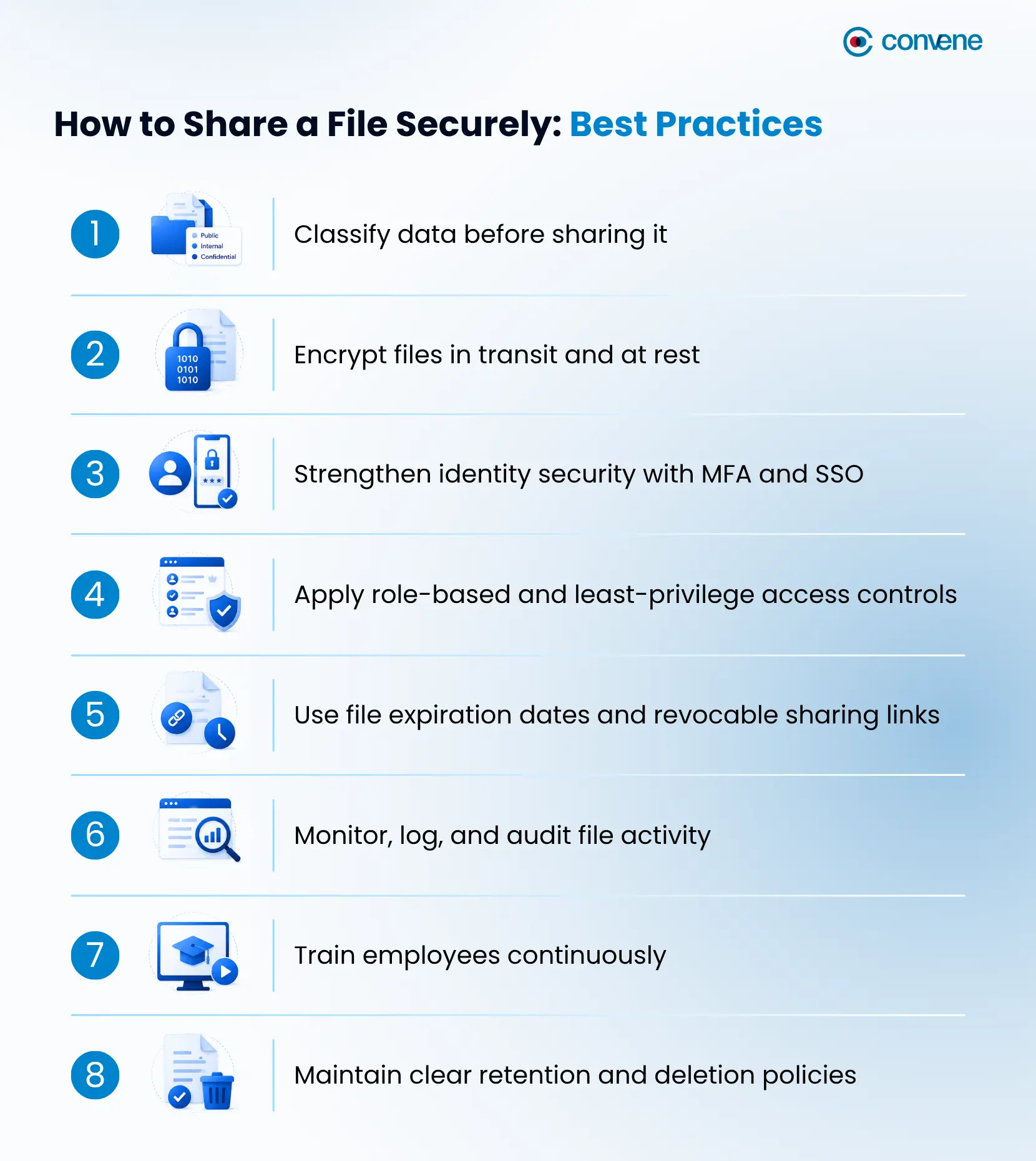
Implementing secure document sharing requires more than choosing a platform and assuming it will solve everything. It starts with knowing and understanding the risks, and combining policy, process, and technology to help reduce vulnerabilities. The following best practices provide a strong foundation for how to securely share files:
1. Classify data before sharing it
Start by identifying which documents are public, internal, confidential, or highly restricted. First off, board papers, legal records, financial statements, customer information, and intellectual property should be governed more tightly than routine working files. Meeting minutes and simple business announcements may be classified as internal but are generally less sensitive.
Data classification gives structure to your sharing decisions. It helps determine who should have access, what protections are required, and how long those files should remain available.
2. Encrypt files in transit and at rest
Encryption is one of the foundations of secure file storage and sharing. Files should be protected both while they are moving across networks and devices and while they are stored in the platform. For highly sensitive information, end-to-end encryption provides an added layer of assurance by limiting access to the encryption keys.
3. Strengthen identity security with MFA and SSO
For any business asking how to share a file securely, identity security should be a priority. If a user’s credentials are stolen, documents can be exposed quickly. Multi-factor authentication adds an extra verification step that makes unauthorized access harder, even when passwords are compromised. Single sign-on can further improve control by centralizing access and making it easier to apply company-wide authentication standards.
4. Apply role-based and least-privilege access controls
Users should only have access to the files they genuinely need. Role-based access and least-privilege policies help limit exposure by narrowing who can view, download, edit, or distribute content. This is especially important in secure file sharing with clients, where businesses often need to provide access to a single set of documents without exposing broader internal folders, conversations, or archives.
5. Use file expiration dates and revocable sharing links
Open-ended access increases risk. Setting file expiration dates or time-limited links helps ensure that documents remain accessible only for as long as necessary. Password-protected links and revocable access add another layer of control, particularly for external sharing.
6. Monitor, log, and audit file activity
Businesses should be able to see who accessed a file, when they accessed it, whether it was downloaded, and whether sharing behavior deviates from policy. Audit trails support both incident response and compliance readiness.
Since more and more businesses are now adopting AI-powered workflows and automation, visibility should extend beyond human users. Companies should also monitor when AI tools access, process, or move files. Logging these activities helps organizations verify that automated processes follow security policies, and in relevant cases, detect unusual behavior early before it turns into a bigger problem.
For leadership teams, this step is especially important. Sensitive decisions depend on sensitive documents, and organizations need assurance that those materials are being handled appropriately.
7. Train employees continuously
Human error remains one of the most common sources of file-related incidents. As such, employees should be trained to verify recipients, recognize phishing attempts, avoid personal file-sharing tools for business use, and understand how link-sharing settings work.
Even the best secure document sharing platform can be undermined by rushed habits and poor judgment. Awareness training helps close that gap. Organizations can reinforce safety practices through regular cybersecurity awareness training, phishing simulation exercises, and providing employees with quick-reference guides that explain how to handle sensitive documents in different situations.
8. Maintain clear retention and deletion policies
Secure sharing should not end once a file is sent. Businesses also need rules for how long documents are retained, when access should end, and when files should be archived or deleted. Good retention practices reduce clutter, lower exposure, and support stronger records management.
Frequently Asked Questions on Secure File Sharing for Businesses
What is the safest way to share a file?
Apart from making sure you’re not sending sensitive documents through unsecured email attachments or public links, the safest way to share a file is through a secure file-sharing platform. It encrypts data in transit and at rest, requires user authentication, and provides access controls, expiration dates, and activity logs.
What is file sharing protection?
File sharing protection refers to the security measures used by organizations to prevent unauthorized access, modification, or distribution of shared files. Common protections that are supposed to be implemented (if not yet) in your company include encryption, password protection, multi-factor authentication (MFA), role-based permissions, watermarking, and audit trails.
What are the top-rated secure file sharing platforms for businesses?
The list includes board portal software for board and executive collaboration, enterprise content management (ECM) systems, cloud storage and collaboration platforms, virtual data rooms (VDRs) for sensitive transactions, and secure managed file transfer (MFT) solutions for regulated file exchanges.
Strengthen Secure File Sharing with Convene Board Portal
When organizations treat secure file sharing with clients as part of risk management, they protect more than data. They protect trust, accountability, and the quality of decision-making that relies on keeping confidential information private.
For boards and leadership teams working with highly sensitive documents, a purpose-built solution like Convene Board Portal can help strengthen both security and collaboration. Built for organizations with stringent governance and compliance requirements, Convene adheres to internationally recognized security standards and certifications, including ISO/IEC 27001 for information security management and SOC 2 Type II compliance.
To further protect customer data, Convene partnered with Amazon Web Services to ensure that all data in the cloud is protected at all levels through features such as:
- Secure, centralized document sharing for board packs and reports
- Role-based access permissions to control who can view specific materials
- Multi-factor authentication, like One-Time PIN (OTP) and device registration, for stronger access security
- AES 256-bit encryption protections for sensitive board information
- Audit trails that improve visibility and accountability
- Version control to keep directors aligned on the latest documents
- Digital Rights Management (DRM) to restrict actions such as downloading, copying, printing, or taking screenshots of sensitive documents
- Information Protection Services (IPS) that help safeguard files with persistent protection and controlled access, even after documents have been shared
- Most importantly, secure remote access for reviewing materials across devices and locations
Book a demo with Convene today to see how it can support secure document sharing and better governance for your board.



Jess is a Content Marketing Writer at Convene who commits herself to creating relevant, easy-to-digest, and SEO-friendly content. Before writing articles on governance and board management, she worked as a creative copywriter for a paint company, where she developed a keen eye for detail and a passion for making complex information accessible and enjoyable for readers. In her free time, she’s absorbed in the most random things. Her recent obsession is watching gardening videos for hours and dreaming of someday having her own kitchen garden.
- Connect:
-